
If you advertise on Facebook or Instagram, or run a shop through Meta, you’ve probably seen a banner about updated business terms. They’ve caused a stir, mostly about AI, and searches for “Meta business terms AI training” have spiked. Here’s what’s actually in the documents, what Meta says, what critics say, and what a small business can sensibly do.
What is changing in Meta’s business terms?
Two documents are being updated: the Meta Commercial Terms and the Self-Serve Ad Terms. The separate Product Catalog Terms are being folded into the Commercial Terms, and the Ad Creative Generative AI Terms into the Self-Serve Ad Terms. It was first due on 30 October, then moved to 20 November 2026, and on 28 October Meta paused the rollout pending a consultation with industry groups (see the update above).
Can Meta use my website to train AI?
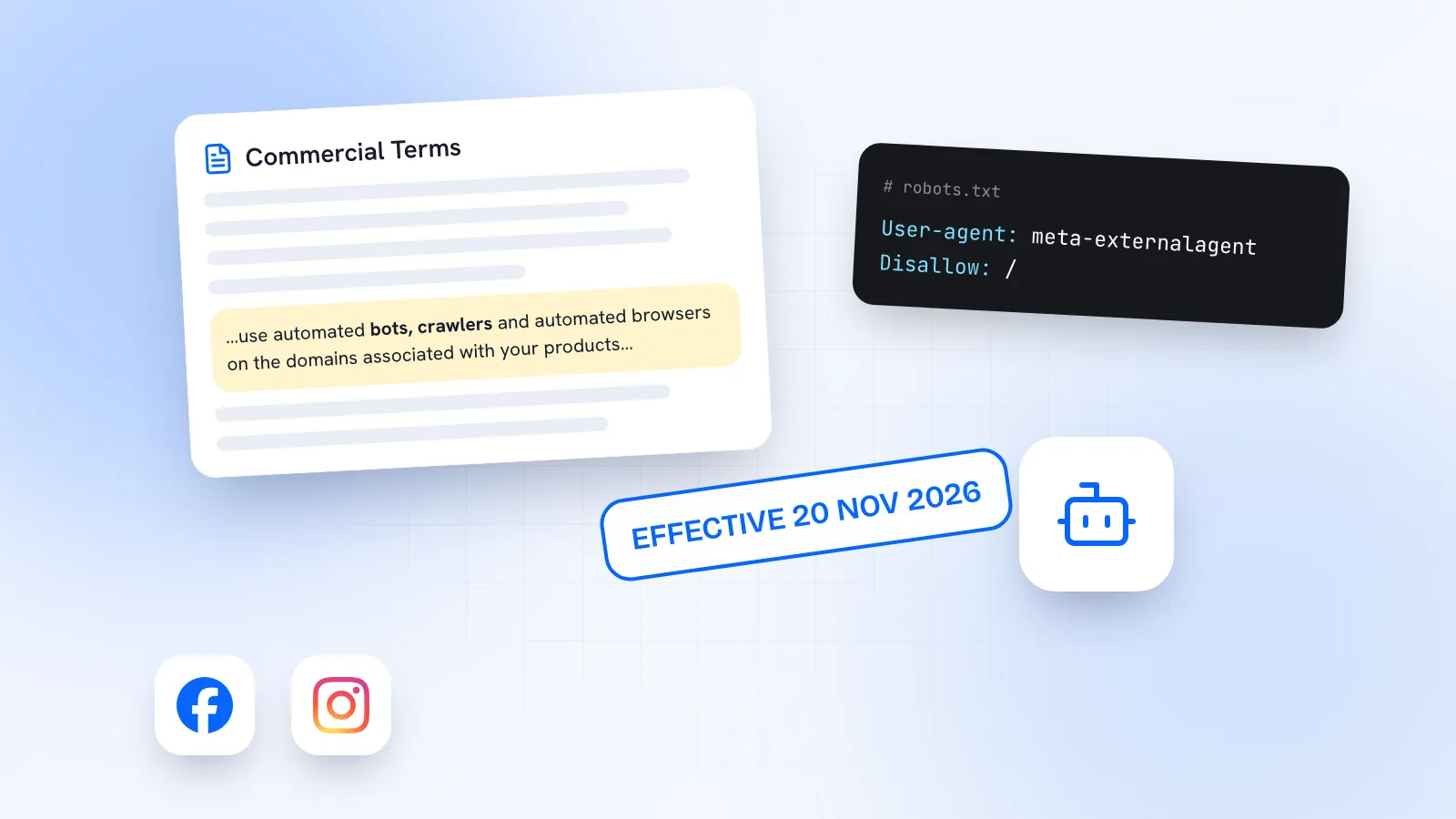
This is the clause behind the headlines. In the preview of the new Commercial Terms, businesses authorise Meta, or anyone acting for it, to use automated bots, crawlers and automated browsers on the websites and pages linked to their products or services. Meta may create test logins to access, index and cache that content, and use it to develop, improve, research and maintain its advertising and business products, and for integrity and security.
The first version of the draft, published in mid-October, included the word “train”. After criticism, Meta removed it around 17 October, as reported by Nieman Lab, The Verge and others. So the current preview doesn’t say Meta will train AI on your site. But “develop” and “business products” aren’t defined, which is why critics, including legal academics and European publisher groups, say little has changed in substance.
| What Meta says | What critics say |
|---|---|
| The update is about getting accurate product information for ads and shopping. | The wording still lets Meta use crawled content to “develop” products, without defining what that covers. |
| It gives Meta no new crawling rights, and it’s not about scraping news sites. | Test logins could get past registration walls; Meta hasn’t said whether that includes paywalls. |
| Site owners can use robots.txt to signal their preferences. | The terms don’t commit Meta to honouring robots.txt, and there’s no contract opt-out. |
European and UK publisher groups have complained to the European Commission and the UK’s Competition and Markets Authority. No regulator has ruled, and we found no separate EU or UK version of the clause.
Does this cover my DMs, WhatsApp chats or product catalogue?
We found nothing in Meta’s published terms saying your customer messages on WhatsApp, Messenger or Instagram will be used to train AI, and we’d be wary of posts claiming so. The preview mentions messages only as “marketing messages” in its list of business uses.
What is already true, under terms in place since 2024: content you put into Meta’s generative AI ad tools (the AI-generated backgrounds, text and images in Ads Manager) comes with a perpetual, worldwide licence for Meta, and Meta may use it to improve its algorithms and AI models. The only way to avoid that is not to use those tools for anything sensitive.
Is there an opt-out from Meta’s new business terms?
No contractual one. Meta’s Commercial Terms say that continuing to use its business products after an update means you accept it. The only technical lever is your website’s robots.txt file, which can ask Meta’s AI crawler to stay away.
What should small businesses do now?
- Read the preview. It’s at facebook.com/legal/commercial_terms_preview. Skim the AI features and crawling sections; they’re short.
- Decide about Meta’s AI crawler. Meta documents a crawler called Meta-ExternalAgent, which it says is used for “training foundation AI models or improving products by indexing content directly”. To ask it not to crawl your site, add a robots.txt rule that disallows the user agent `meta-externalagent`. Meta says changes can take up to 24 hours. Meta notes that a separate fetcher, used when people ask Meta’s apps to fetch a page, may not follow robots.txt.
- Check what’s been switched on in your ads. Advertisers report that product browsing was due to be switched on in existing Facebook and Instagram ads from 28 October unless they opted out. You can turn it off per ad in the Advantage+ creative settings.
- Check your placements. Threads is included by default in Advantage+ placements; choose manual placements if you don’t want it.
- Keep sensitive material out of generative ad tools, given the licence above.
None of this means leaving Meta. For most small businesses, Instagram and Facebook are still where customers find them. It means knowing what you’ve agreed to and making deliberate choices about your website and ads.
Where Kebo stands
Kebo helps you plan, create and schedule organic posts, and drafts replies you send yourself. It doesn’t run your ads. Your Brand DNA, the description of your business Kebo works from, is yours to read and edit at any time. If you sell online, see social media for e-commerce brands.